
Change delivery methods, and never lose local delivery on a move
Local delivery is one of the best things about a subscription box, until a customer moves out of your delivery zone. Their address saved, but no location could deliver there, so their next order got stuck on billing day. That’s fixed.
See how every order is delivered
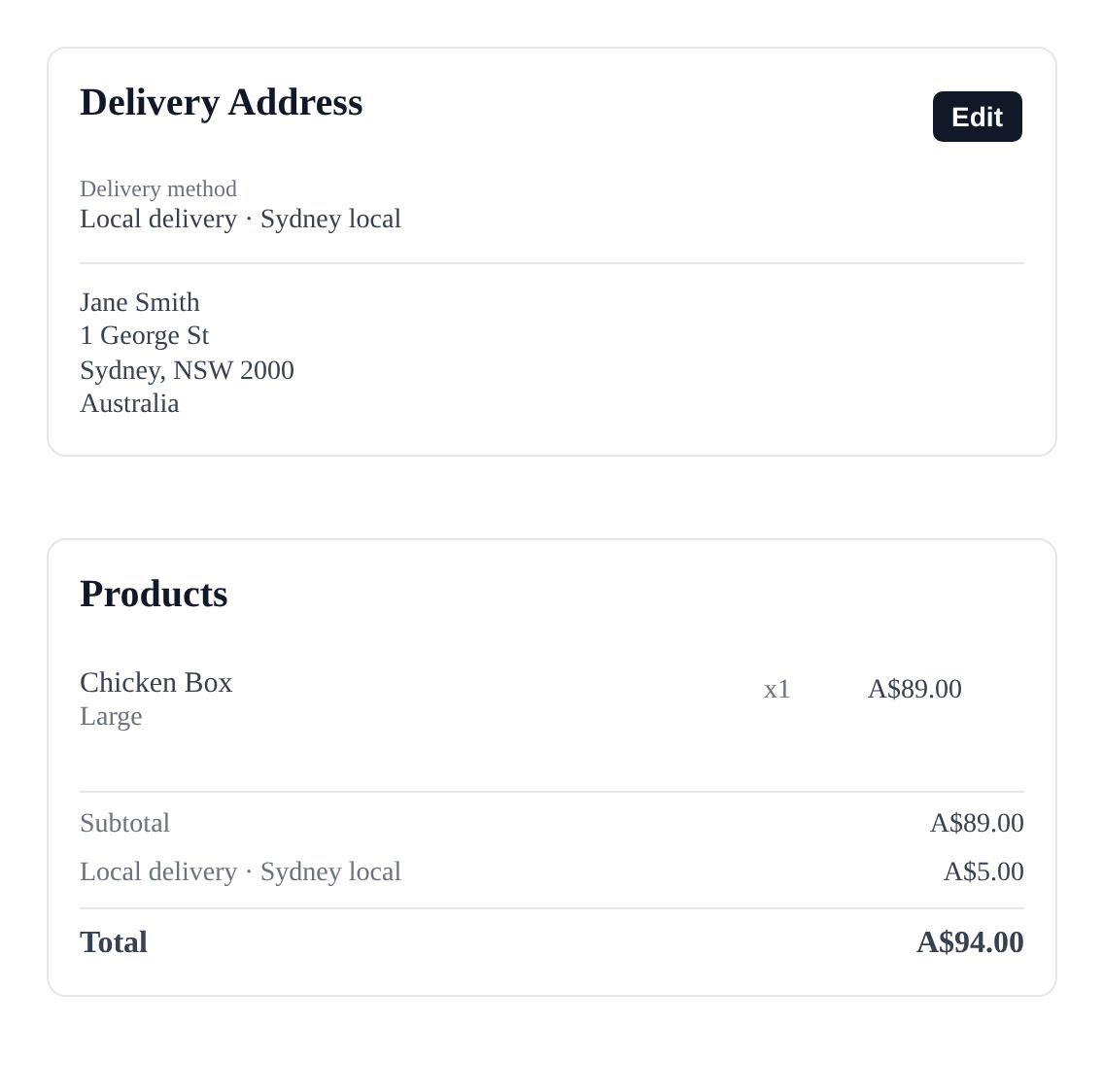
Each subscription now shows its delivery method and rate, right where you look:
- On the customer card, with the driver’s phone number and instructions for local delivery
- In the order totals, next to what delivery costs
- In the subscriptions list, with a new filter to find every local delivery or pickup customer
Your customers see it too, on their portal, above their address.
Change it in a click
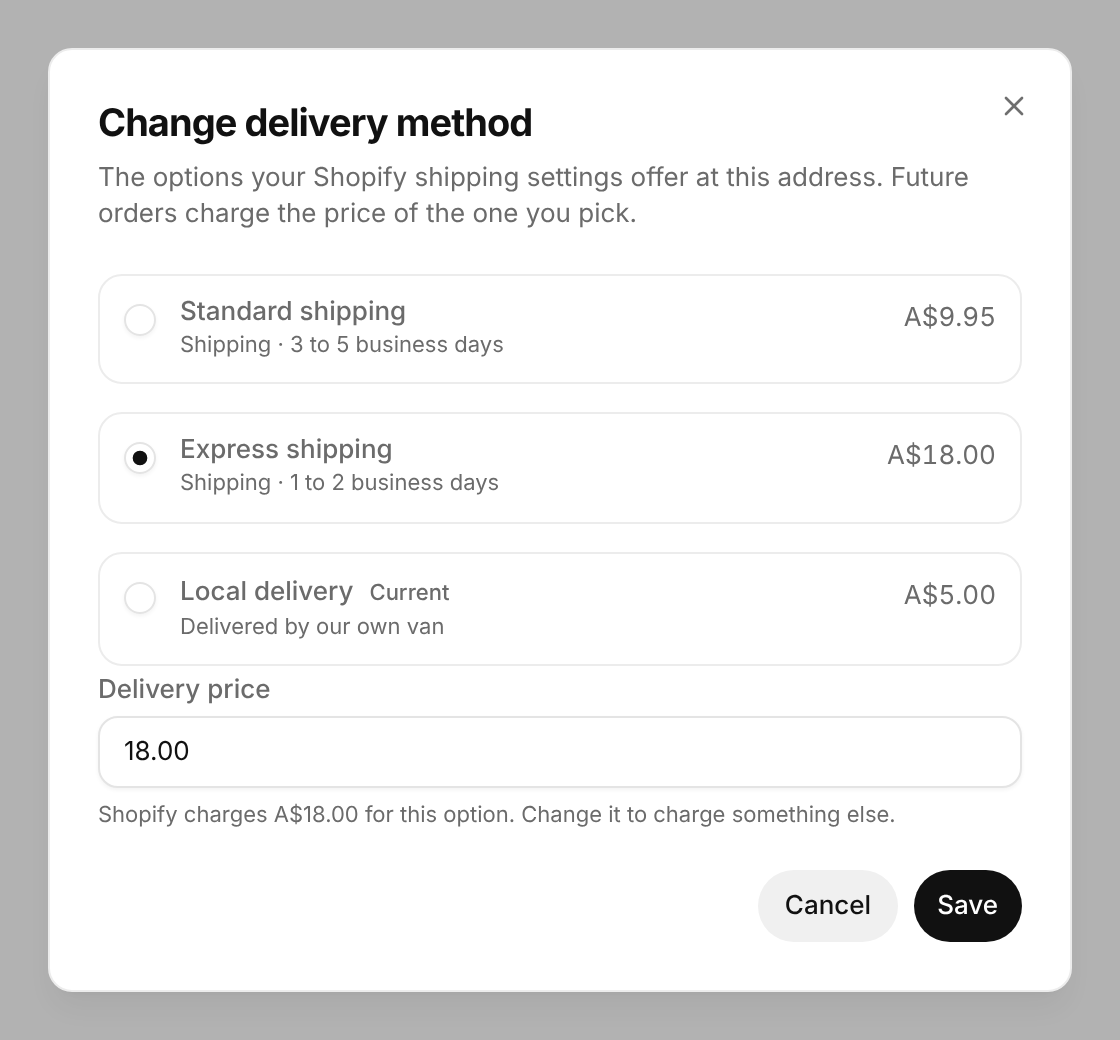
Open a subscription, pick Change delivery method from the customer menu, and choose from the options your Shopify settings offer at that address. Gro charges that option’s Shopify price from the next order.
Want to charge something else? Change the price before you save. Handy for free delivery as a thank you, or a special rate for a regular.
Moves that just work
When a customer changes their address in the portal, or you change it for them, Gro checks their delivery method still works there first.
- Still works: the address saves exactly as before.
- Doesn’t work (say they’ve moved out of your local zone): they choose from what you do offer there, with prices, before anything saves.
- You don’t deliver there at all: they’re told, and nothing changes.
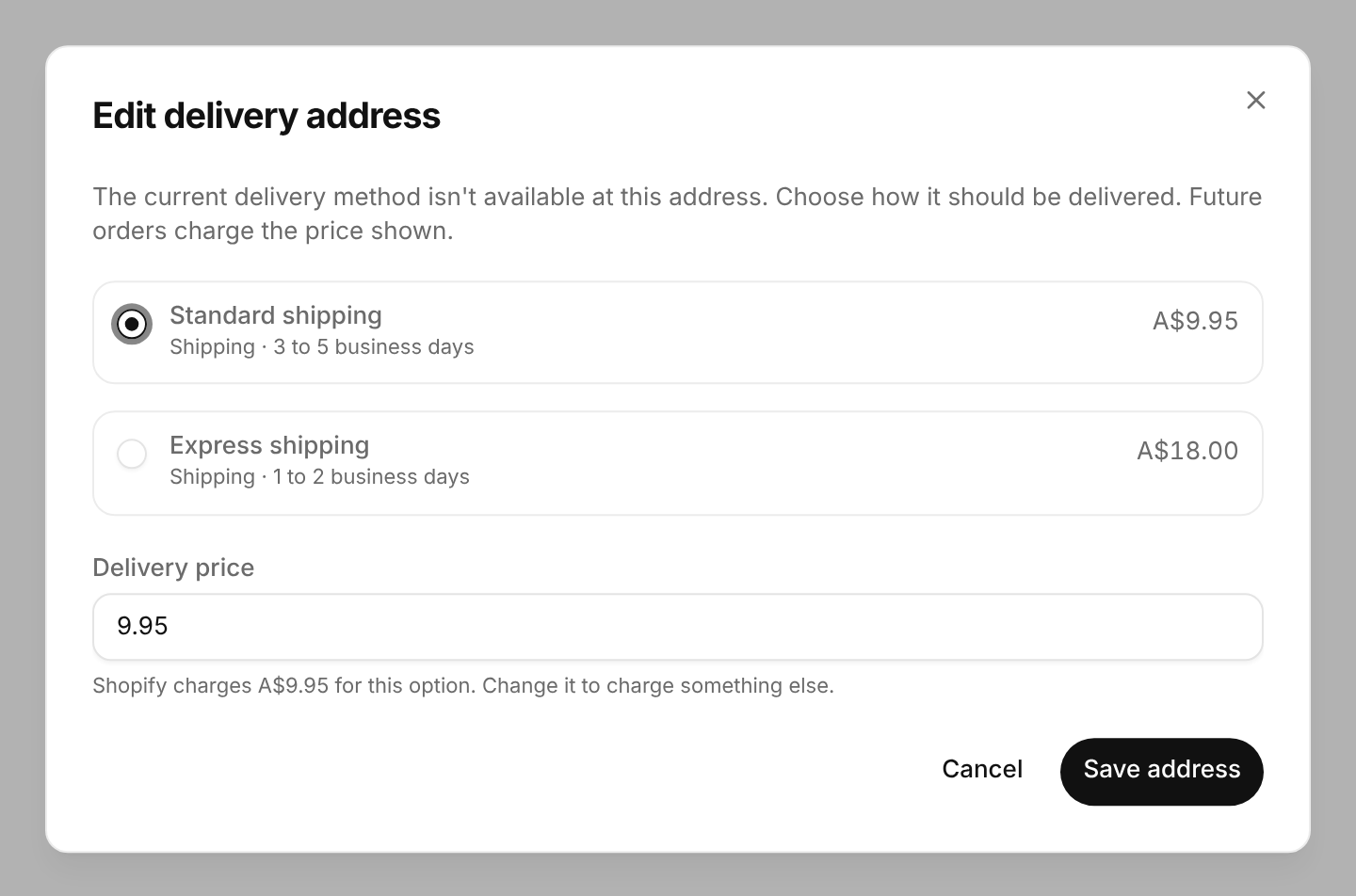
No more held orders after a move, and no more shipping a far away box at a local delivery price.
 ChatGPT
 Claude
 Perplexity
 Grok