
Swap products post purchase
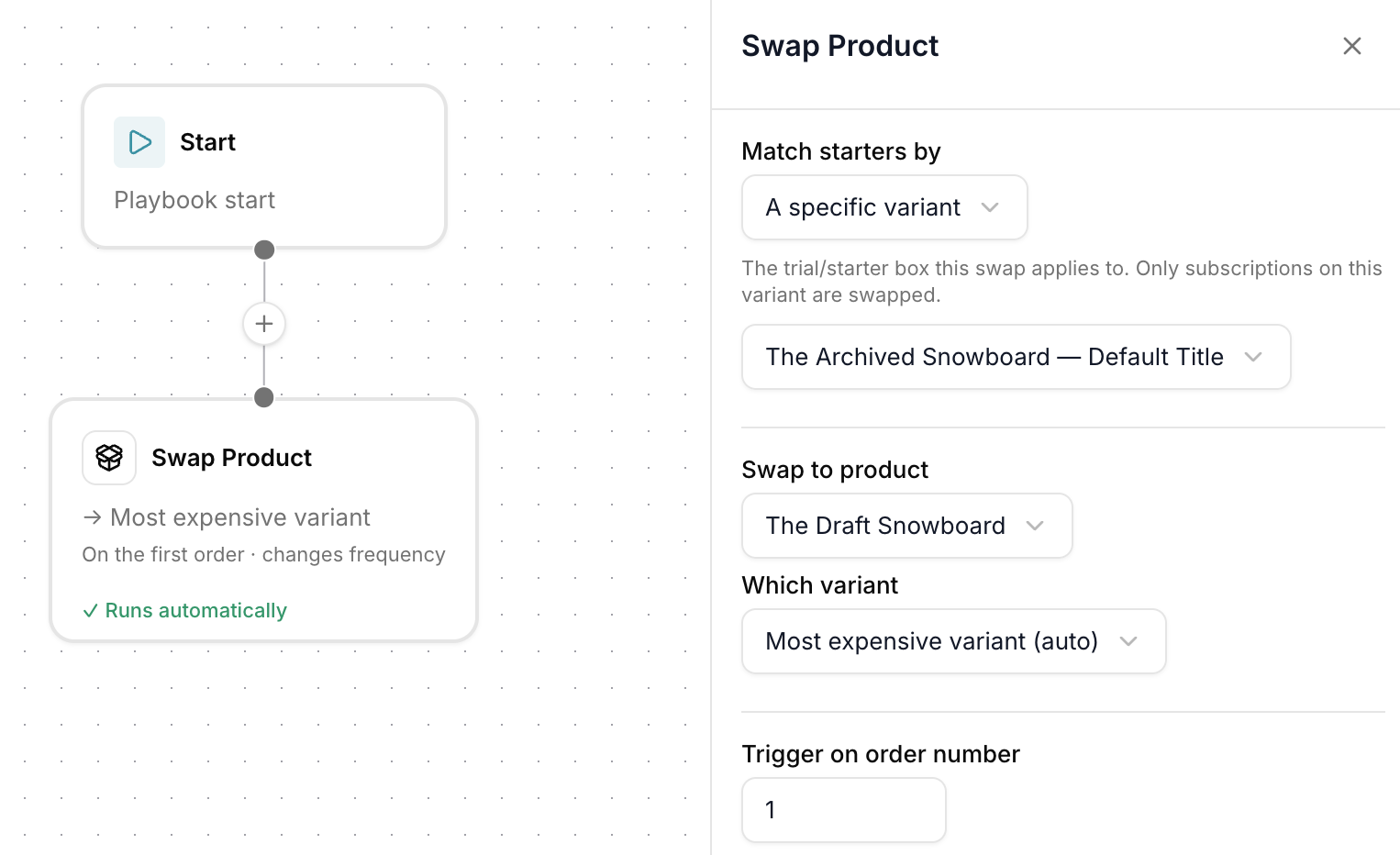
Playbooks can now run automatically after a customer has subscribed, either as soon as they sign up or once they’ve received a set number of orders.
That means you can change what’s in a subscription without the customer lifting a finger, and without anyone on your team editing subscriptions by hand.
Ways to use it
- Never miss a delivery when something sells out. If a product goes out of stock, automatically swap affected subscribers onto an in stock alternative so their next box still ships on time.
- Start small, then upgrade. Offer a low commitment starter box, then automatically move customers onto the full size subscription product from their second order.
- Sample, then commit. Begin with a trial or sample size and graduate customers to the full product once they’re hooked.
- Rotate the line up. Move customers between seasonal flavours, formulas, or curated selections on a set cadence.
- Tiered onboarding. Walk new subscribers through product tiers as they stick around, rewarding loyalty with the good stuff.
How it works
Pick the trigger, on sign up or after a set number of orders, choose the swap, and Gro handles the rest. Customers get a seamless experience and the right product every time, no manual edits and no missed shipments.
 ChatGPT
  Claude
  Perplexity
  Grok
Grok