
See flow run history
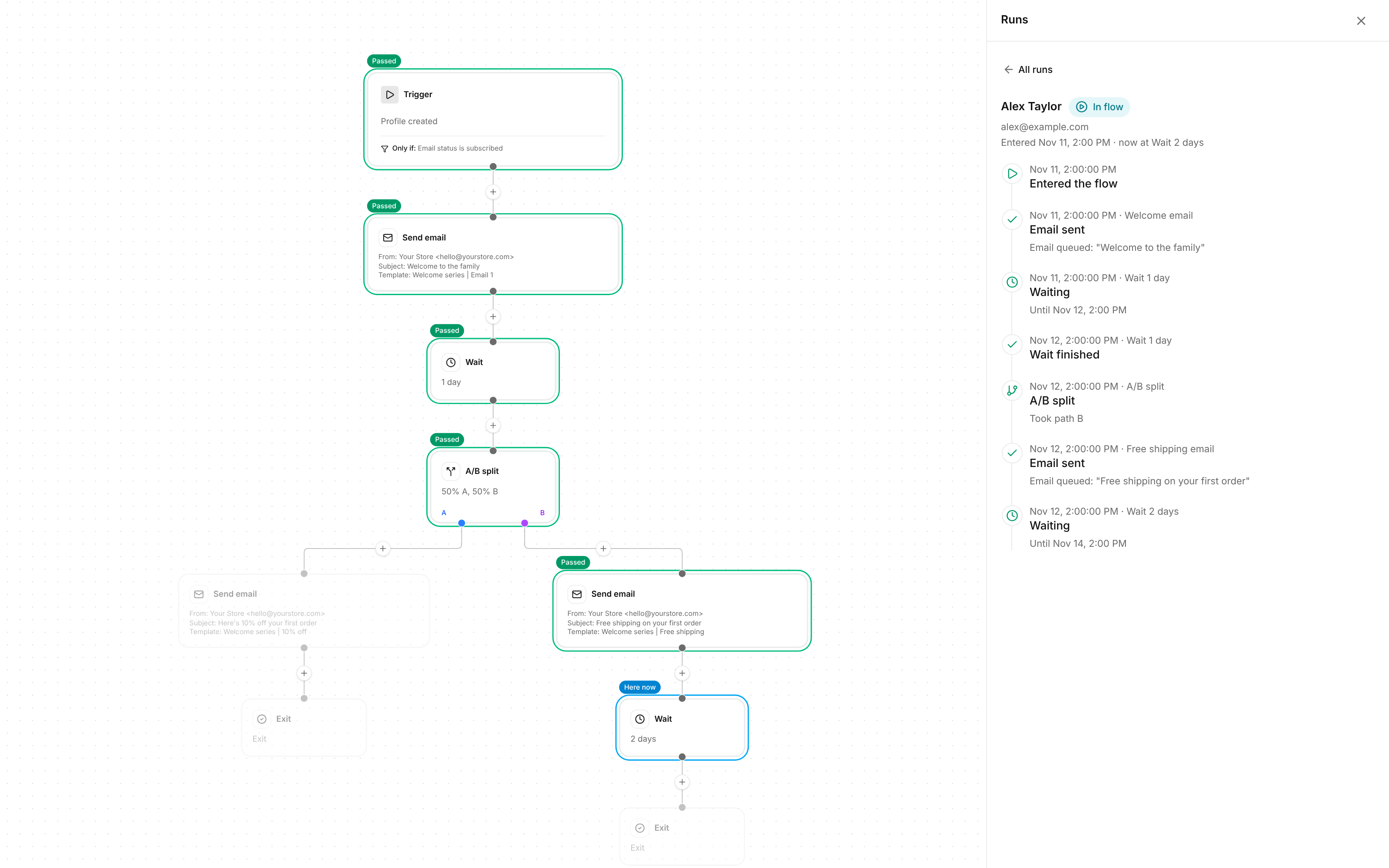
A step says 3 skipped. Now you can see who, and why. Open Runs on any flow to see everyone who went through it and exactly what happened to them at each step.
Follow one customer through your flow
- Their path lights up on the flow. Pick a customer and every step they reached is marked: passed, skipped, failed, or where they are right now. The steps they never reached fade out.
- Every step, in order. The panel shows when they entered, each email sent, how long they waited, and which way they went at each split.
- A/B tests made clear. See whether a customer got version A or version B, and what they were sent next.
- Find anyone. Search by email to pull up one customer’s runs.
See why a step was skipped
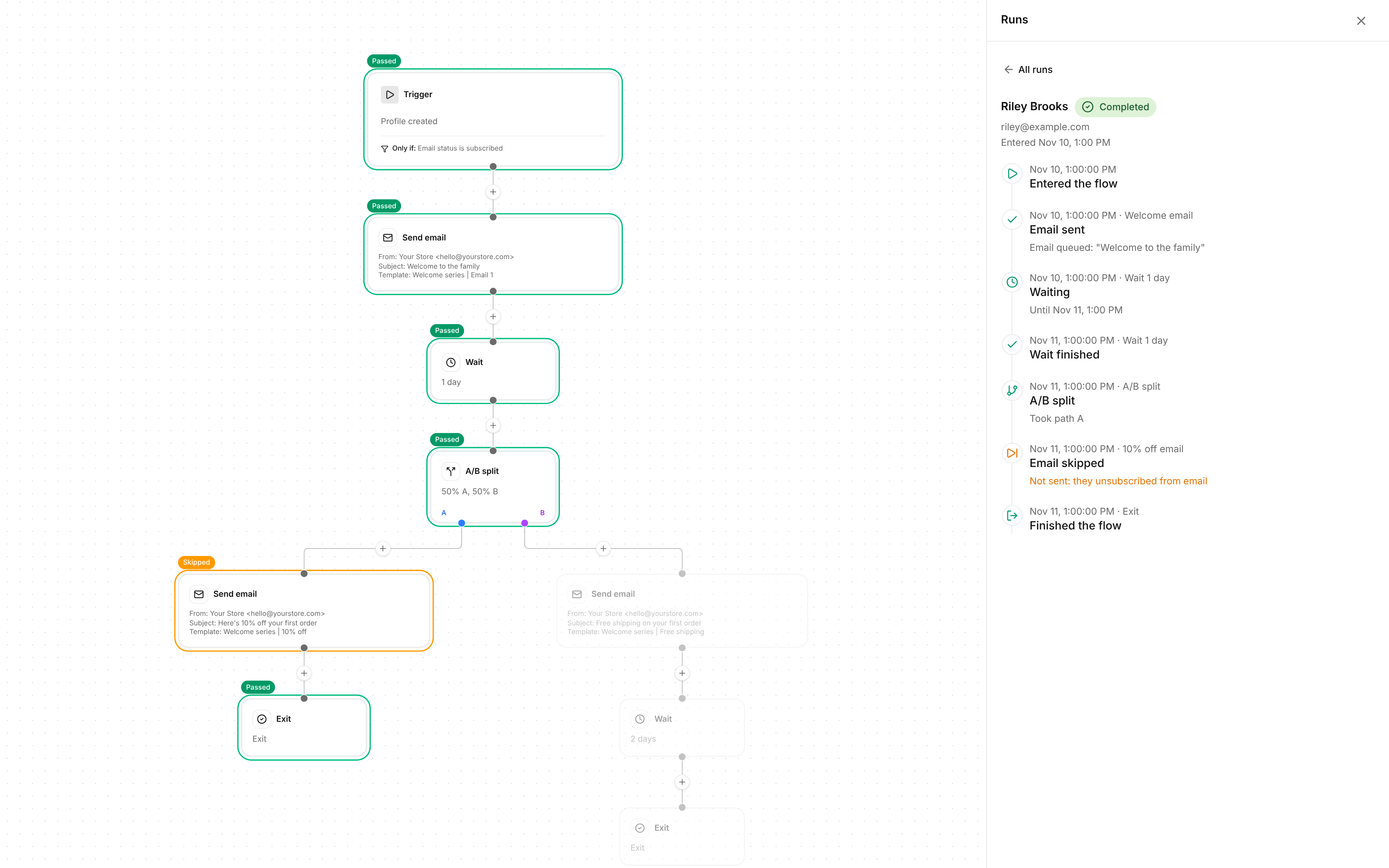
- Click the number. Click Skipped or Failed on a step’s stats and you get the list of people behind it.
- The reason in plain words. “They unsubscribed from email”, “they aren’t subscribed to email yet”, “their email is blocked after a bounce or spam complaint”.
- Filter the list. Show only the customers still in the flow, the ones who finished, or the ones who left.
Your flow filters, right on the canvas
- No more hidden filters. The trigger now spells out who can enter, like “Only if: Email status is subscribed”, so you can see it without opening the settings.
- Splits read as sentences. A conditional split now says “Placed order exactly 1 time, all time” instead of a cut off summary.
 ChatGPT
 Claude
 Perplexity
 Grok